01 / Today
Single site
One app per platform. Every Open edX site that wants a mobile app builds, signs and publishes its own.
Open edX mobile · iOS and Android
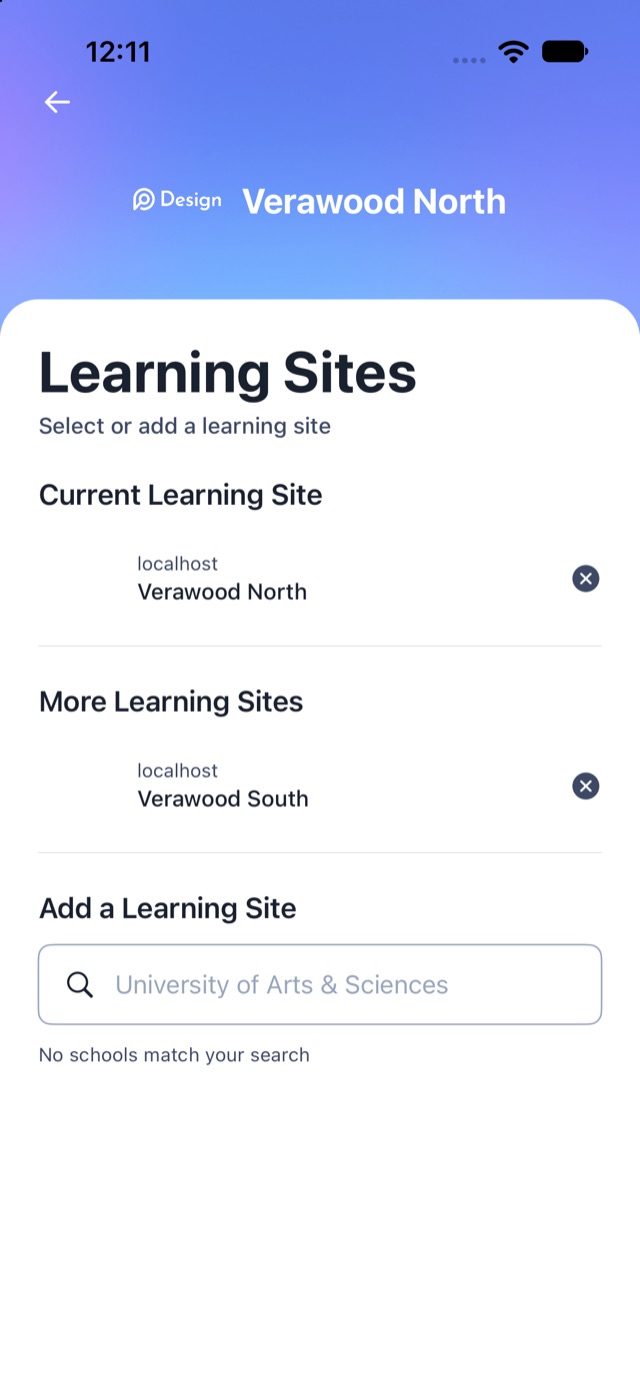
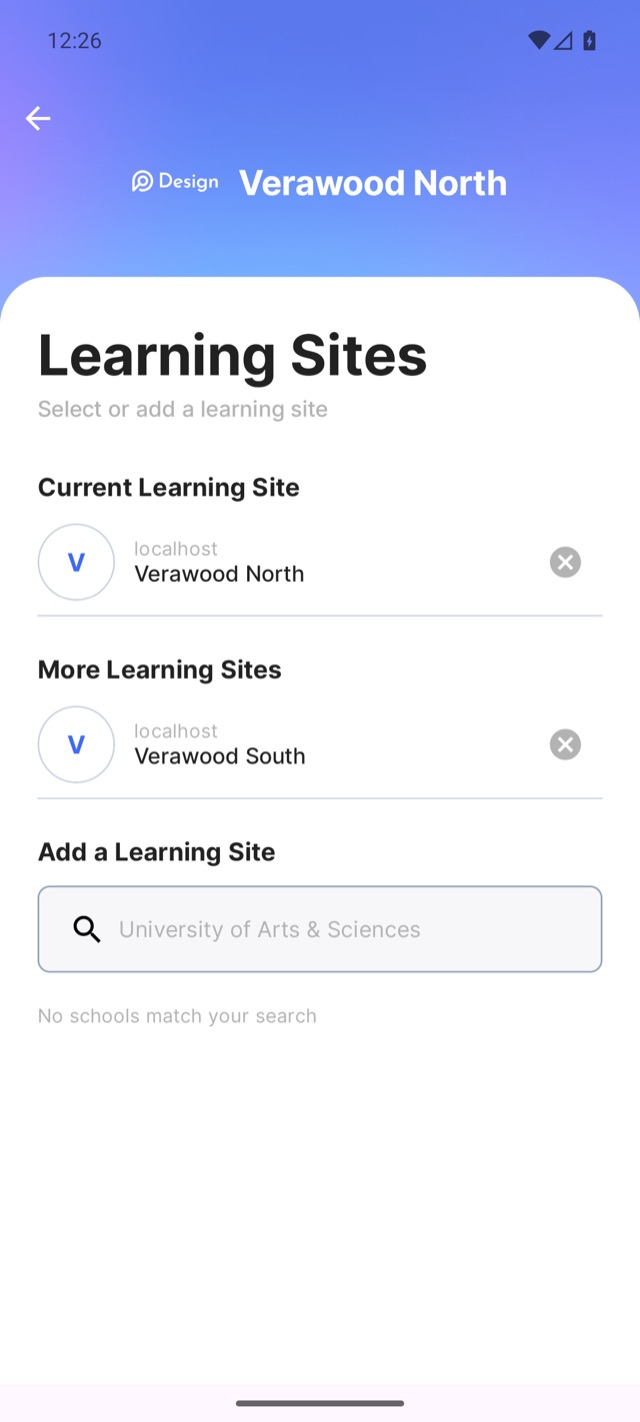
The Open edX mobile app can now serve several Open edX platforms from one iOS and one Android build. Learners pick their school, stay signed in to more than one, and switch without signing in again. Each school keeps its own branding, data and session.
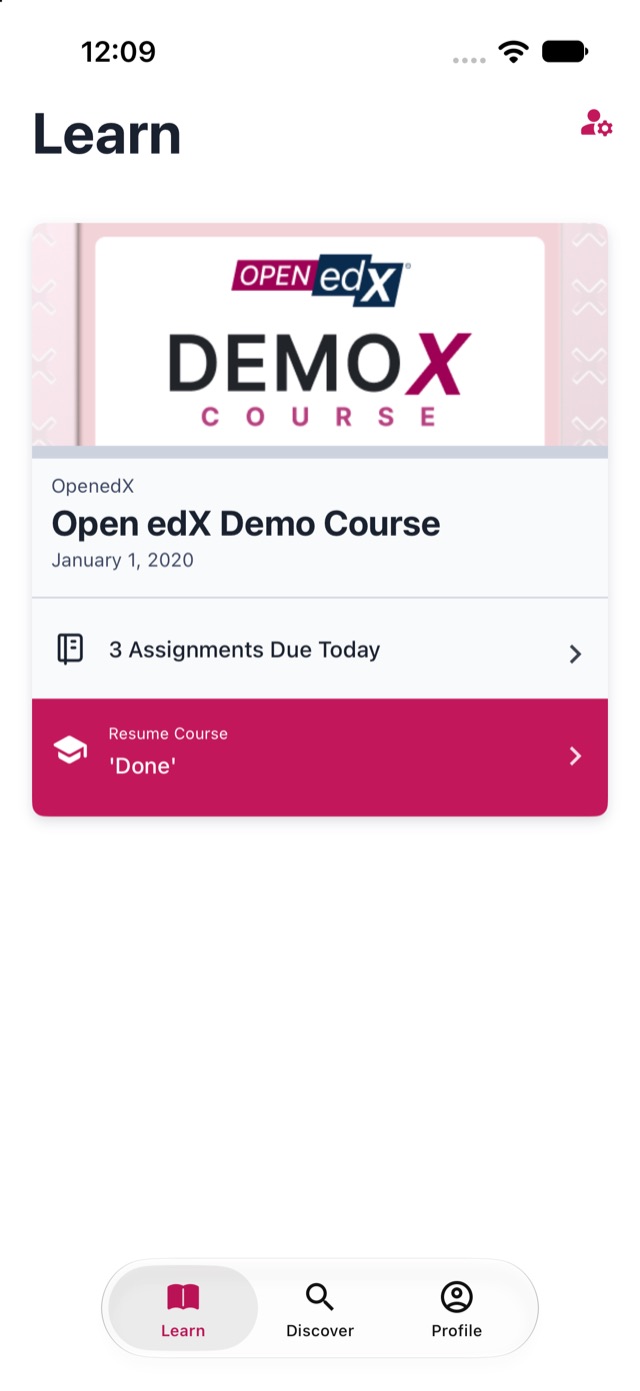
This demo lists every LMS added here, so you can see the picker with real platforms in it.
How it works
01 / Today
One app per platform. Every Open edX site that wants a mobile app builds, signs and publishes its own.
02 / This project
One provider, one app,
several platforms.
A university with faculties on separate Open edX sites, or a company running academies for different clients, ships one app. The provider decides the list: compiled into the build, or fetched from a URL they host.
03 / Next
One app for everyone, the way Moodle and Canvas work. Learners find their school in a public directory. Multi-tenant is the first step: the app already holds many sites at once.
Switching keeps you signed in to the site you left.
About this demo
A real multi-tenant app lists only its provider's platforms. This demo does the opposite on purpose: every LMS added here goes into one shared list, and both demo apps read it. It is the quickest way to try the picker, switching and per-site branding with a platform you know.
Three ways in
A / Start with your platform
B / On your phone
Install links appear here once each build is approved.
iOS: open the TestFlight link on your iPhone; you need Apple's TestFlight app.
Android: your phone asks to allow installs from the browser; the APK is signed by Raccoon Gang and is not on Google Play.
C / Make it yours
Fork the apps and list your platforms in INSTANCES in config.yaml, or host a JSON file and set INSTANCES_CATALOG_URL.
Live catalog
The app shows the site picker once the list has at least two platforms; with one, it opens straight to that platform's sign-in.
For developers
Both apps read the same schema from two places: INSTANCES in the build's config.yaml (keys in UPPER_SNAKE_CASE) and a JSON file at INSTANCES_CATALOG_URL (keys in snake_case).
{
  "instances": [
    {
      "key": "north",
      "name": "North Campus",
      "api_host_url": "https://lms.north.example.edu",
      "oauth_client_id": "mobile-north",
      "color": "#1F5FBF",
      "theme": {
        "light": { "accent_color": "#1F5FBF" },
        "dark": { "accent_color": "#7FA8FF" },
        "logo_url": "https://cdn.example.edu/north-logo.png"
      }
    },
    {
      "key": "south",
      "name": "South Campus",
      "api_host_url": "https://lms.south.example.edu",
      "oauth_client_id": "mobile-south"
    }
  ]
}API_HOST_URL: 'https://lms.north.example.edu'
OAUTH_CLIENT_ID: 'mobile-north'
INSTANCES_CATALOG_URL: 'https://example.edu/instances.json'
INSTANCES:
- KEY: 'north'
NAME: 'North Campus'
API_HOST_URL: 'https://lms.north.example.edu'
OAUTH_CLIENT_ID: 'mobile-north'| Key | Required | Meaning |
|---|---|---|
key | No, but set it | Identifies the platform on the device; the learner's selection and session are stored under it. Never change it for a live platform, and never give a removed platform's key to another one. Falls back to a slug of the name. |
name | Yes | Shown in the site list. |
api_host_url | Yes | The platform's https address. |
oauth_client_id | Yes | The public OAuth client the app signs in with. |
instance_name | No | Localized display names, e.g. {"en": "...", "uk": "..."}. |
color | No | Accent color when the theme sets none. |
theme.light / theme.dark | No | Palette overrides; field names such as accent_color, text_primary, background. |
theme.logo_url, | No | Remote images (or a bundled asset name). |
sso_url, | No | SSO sign-in for that platform. |
PLATFORM_NAME | No | Sent in upper case; defaults to the display name. |
name, api_host_url or oauth_client_id is skipped; the rest still load.Open source
The multi-instance work is merged into openedx/openedx-app-ios (develop).
The port is in review as openedx/openedx-app-android #511–#521.
openedx-lms-manager (Raccoon Gang).
Good to know
No. Each platform has its own sign-in, tokens, cached courses and downloads on the device, and a token is only ever sent to the platform that issued it.
Sign in, open your workspace and remove it. The apps stop listing it the next time they open.
It needs an https address and a public OAuth client with the password grant. Close the app completely and open it again.
With their normal account on that platform, through the standard Open edX mobile sign-in.
Raccoon Gang, as a public demo. It is not an official Open edX service.